SMS Shield
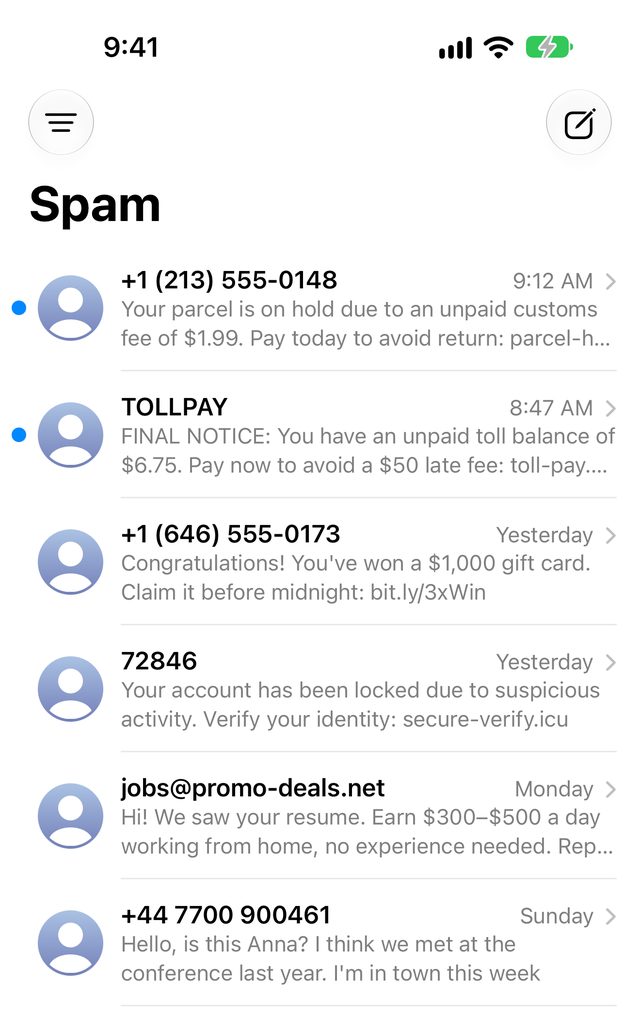
Stop spam and scam texts on your iPhone.
Block unwanted texts by area code, country, sender or keyword. Intelligent, private filtering on your iPhone catches suspicious texts automatically.


- Free week for new members
- Runs on your iPhone, offline
Text Message
FINAL NOTICE: You have an unpaid toll balance of $6.75. Pay today to avoid a $50 late fee: ezdrive-tolls.top/pay
Text Message
Reminder: your appointment is tomorrow at 10:30 AM. Reply C to confirm.
Text Message
Your verification code is 482913. Don't share it with anyone.
Why SMS Shield
iPhone already filters spam. SMS Shield blocks the senders and words you choose.
Since iOS 26, iPhone spots some spam by itself. But it decides alone, and blocking works one number at a time.
| iPhone alone | With SMS Shield | |
|---|---|---|
| Blocks a whole area code, like +1 705 | No | Yes |
| Blocks a country code, like +44 or +234 | No | Yes |
| Blocks sender names, like TOLLPAY | No | Yes |
| Blocks texts with words you choose | No | Yes |
| Tests whether a text would be filtered | No | Yes |
| Spots spam by itself | Yes | Yes |
| Blocks a single number | Yes | Yes |
| Checks texts on your iPhone, privately | Yes | Yes |
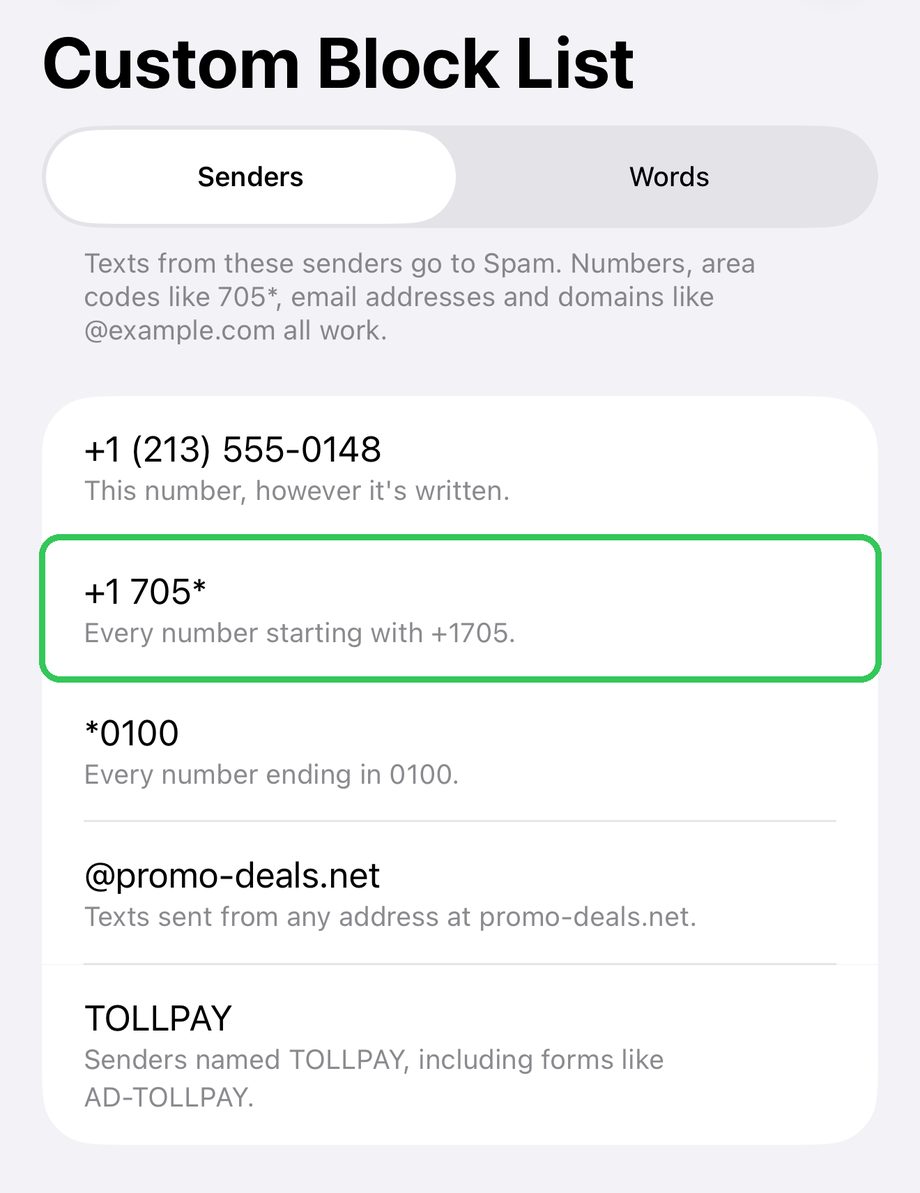
Get more control over unwanted messages.
- Free week for new members
- Runs on your iPhone, offline
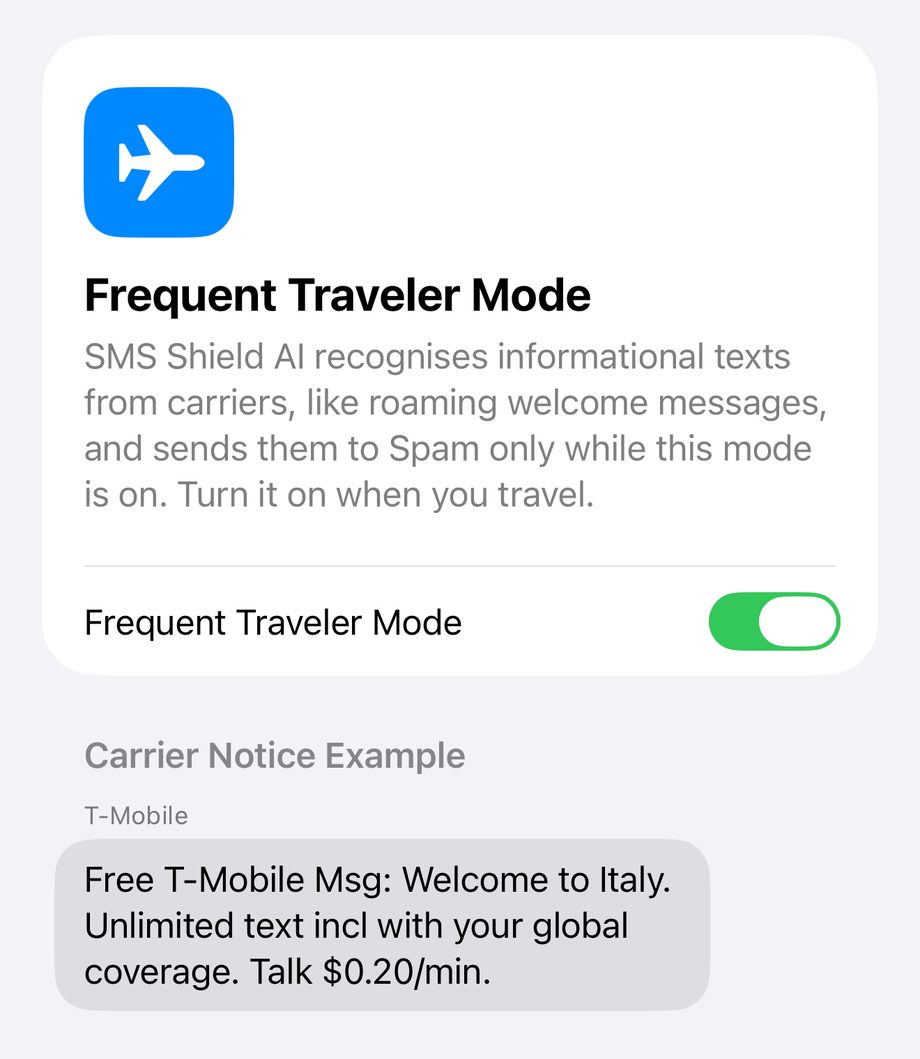
Frequent Traveler Mode
Travel without your carrier's welcome texts.
Land in another country and your carrier texts you about roaming rates and data passes. Turn on Frequent Traveler Mode before a trip, and SMS Shield AI sends these texts to Spam until you turn it off.
- Just carrier notices: texts from people, codes and bank alerts arrive as usual.
- Nothing is lost: they wait in the Spam list in Messages, without a notification.
- One switch: back home, turn it off and your carrier's texts arrive as before.
How it works
Set up in a minute
SMS Shield works inside Messages. iOS hands it each text from a sender who isn't in your contacts, and it decides where the text goes.
Get SMS Shield
Download it from the App Store. New members get a free week.
Turn it on
In Messages, tap Filter › Manage Filtering › Text Message Filter and choose SMS Shield. The app shows you where, on iOS 26 and iOS 18.
Add your rules
Block the area codes, countries, sender names and words you never want to see. SMS Shield AI handles the rest.
Nothing is deleted. Filtered texts wait in the Spam list in Messages, without a notification. Texts from your contacts and iMessages are never filtered.
Guides
Stop unwanted texts
Step by step, for iOS 26 and iOS 18.
How to stop spam texts on iPhone
The filters iPhone already has, what they miss, and how to block or report the rest.
Read the guide ›Where are spam texts on iPhone?
Filtered texts aren't deleted. Here's where they are, and how to get a real one back.
Read the guide ›How to block an area code on iPhone
iOS blocks one number at a time. A text filter can block every number that starts the same way.
Read the guide ›How to block texts from another country on iPhone
Block every text from a country code, like +44 or +234, with one rule.
Read the guide ›How to block texts that contain certain words on iPhone
Send every text that mentions "loan", "casino" or any word you choose to Spam.
Read the guide ›How to block texts from email addresses on iPhone
Blue bubble or green? It decides what you can block, and how.
Read the guide ›How to report spam texts on iPhone
Report Spam in Messages, 7726, and where to report a scam in the US, UK, Canada and Australia.
Read the guide ›I clicked a link in a scam text. What should I do?
What to do next depends on what happened after you tapped. Step by step.
Read the guide ›Scam texts
Scam texts going around
What they look like, the signs that give them away, and what to do if you already tapped the link.
E-ZPass: Your vehicle has an unpaid toll balance of $6.99. Pay by Nov 18 to avoid a $50 late fee: ezpass-tollservice.example/pay
The unpaid toll text scam
"You owe $6.99 in tolls, pay today or face a $50 fee." It's almost always a scam.
How to spot it ›USPS: Your package is on hold at our facility due to an incomplete address. Update within 12 hours: usps-redelivery.example
Fake package delivery texts
"Your package is on hold. Update your address" or "pay a small fee". Here's how to tell.
How to spot it ›Fraud Alert: Did you attempt a Zelle payment of $1,250.00 to M. Carter? Reply YES or NO. If NO, our fraud team will call you.
Fake bank fraud alert texts
"Did you make this payment? Reply YES or NO." Then a fake fraud team calls.
How to spot it ›Hi Linda, are we still on for golf Saturday at 10? I booked the tee time.
The "wrong number" text scam
A friendly text "to the wrong person" is how many investment scams begin.
How to spot it ›Hi Mum, it's me. Dropped my phone down the loo so this is my new number, save it! Can you message me on WhatsApp? x
The "Hi Mum" text scam
"Hi Mum, this is my new number" is followed by an urgent request for money. One call stops it.
How to spot it ›DMV Notice: Final reminder. Our records show an unpaid traffic violation. Pay by 11/20 to avoid license suspension: dmv-ticketpay.example
Fake traffic ticket and DMV texts
"Unpaid traffic violation, pay today or lose your license." DMVs don't collect fines by text.
How to spot it ›Hi, I'm Emma from a recruiting team. Remote position: 60–90 min/day, $300–$800 daily. Interested? Reply YES.
Job offer text scams
"Remote job, $300 a day, reply YES." Real recruiters don't hire like this.
How to spot it ›The app
SMS Shield sorts your texts for you.
An SMS spam filter for iPhone and iPad. It moves spam, scams and phishing to the Spam list in Messages, on your iPhone and offline.
- SMS Shield AI spots spam it has never seen, with a model for English, Spanish, Portuguese, Italian, Swedish and Arabic.
- Block what iOS can't: whole area codes, countries, email senders, sender names and words.
- Catches scam links: addresses that imitate a company, and endings scammers favour like .top.
- Keeps your codes: SMS Shield AI never sends verification codes or bank alerts to Spam.
- Private: texts are checked on your iPhone and never sent anywhere unless you report one.
- Free week for new members
- Runs on your iPhone, offline